
Buy yarn you’ll love the FIRST time: The trick to evaluating colors when shopping for yarn online
Do you hesitate to buy yarn online because you’re worried the yarn won’t look the way it does on the screen? There’s so much beautiful yarn out there, but if you’ve ever excitedly opened some squishy mail only to be disappointed in the contents, this post is for you.
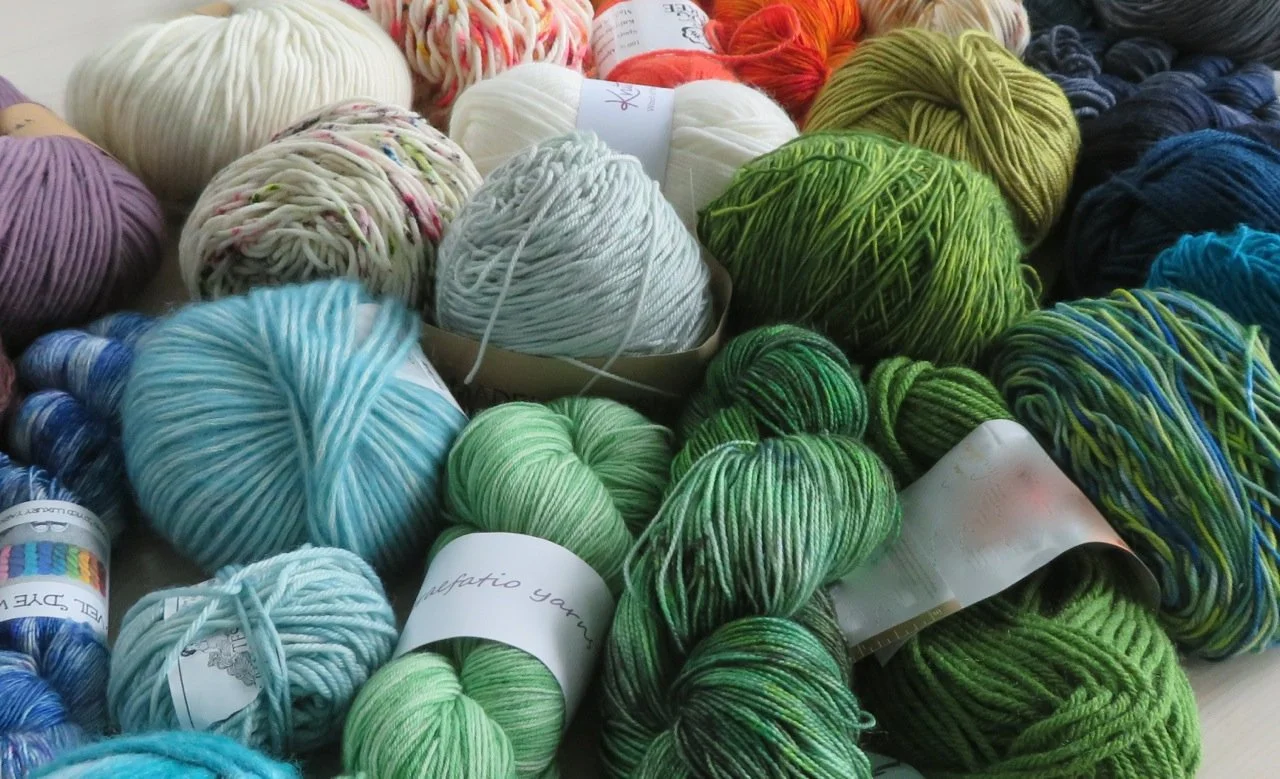
We all know that product photos are taken under different lighting conditions and every monitor displays colors a little differently. How can you know what the yarn you see online will really look like?
There actually is a way to get a much better understanding of yarn color than the one or two images an online store or indie dyer provides. By viewing projects posted by knitters on Ravelry, you can compare dozens or even hundreds of photos of the same yarn color in different lighting, stitch patterns, and finished projects. I’ll show you how to do it, step by step.
This is for times when you are interested in a particular yarn and want to make sure you’ll like the color before ordering it, or to compare a few different yarn colors. If you’re just beginning to shop for yarn, you’ll want to come back once you’ve got a few contenders.
1. Click "yarns" at the top of any Ravelry page (circled below), then put the name of the dyer or manufacturer in the search box.

2. You should see the yarn dyer/manufacturer you are looking for come up in a box next to a dog in a detective hat. Click the name of the dyer, shown by the arrow here below. {Some color names are used by multiple dyers (think “Aquamarine”) and if you don’t limit your search according to the dyer/manufacturer you are considering, you could get misleading results.}

3. Click "projects" (circled below).

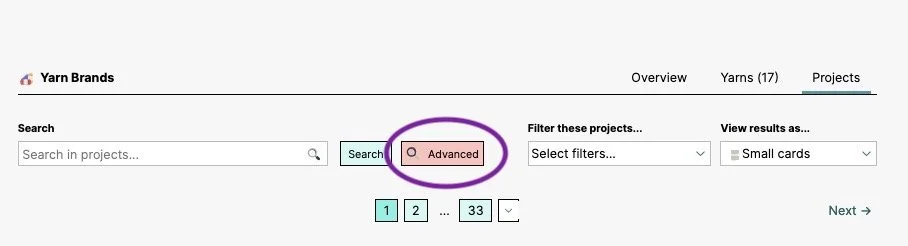
4. Click "Advanced."
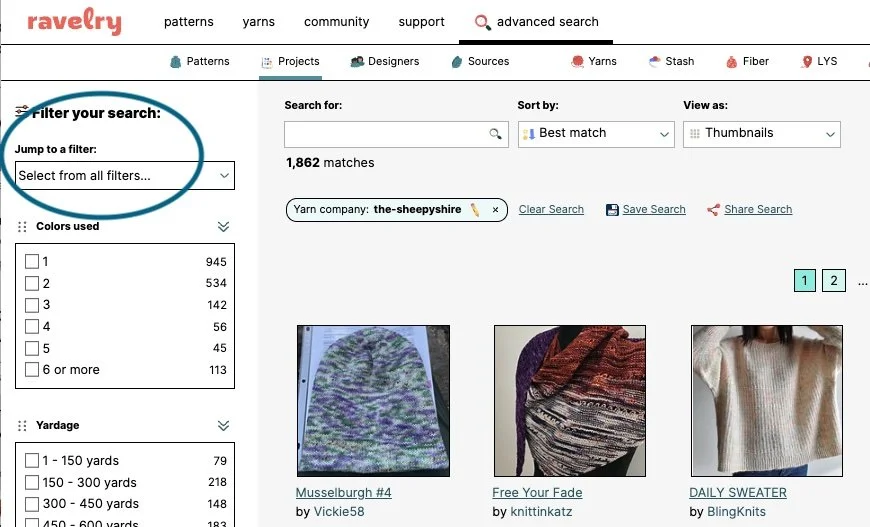
5. You will now see a page that looks like the picture below, with "advanced search" at the top underlined. You’ll use the “Jump to a filter” area that’s circled:
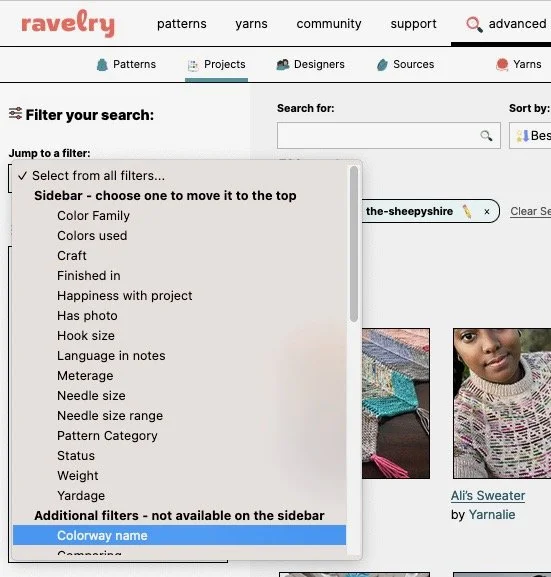
6. Under the "Jump to a filter" drop-down menu, choose "Colorway name."
7. Finally, time to put in the colorway name that you are looking for!

8. You should now see a page similar to the picture below, with thumbnails of projects that report having used the colorway you are looking for. Click any project thumbnail to see all of that project’s photos. To look for a different colorway by the same dyer, click the pencil in the colorway name box and input a new colorway name.
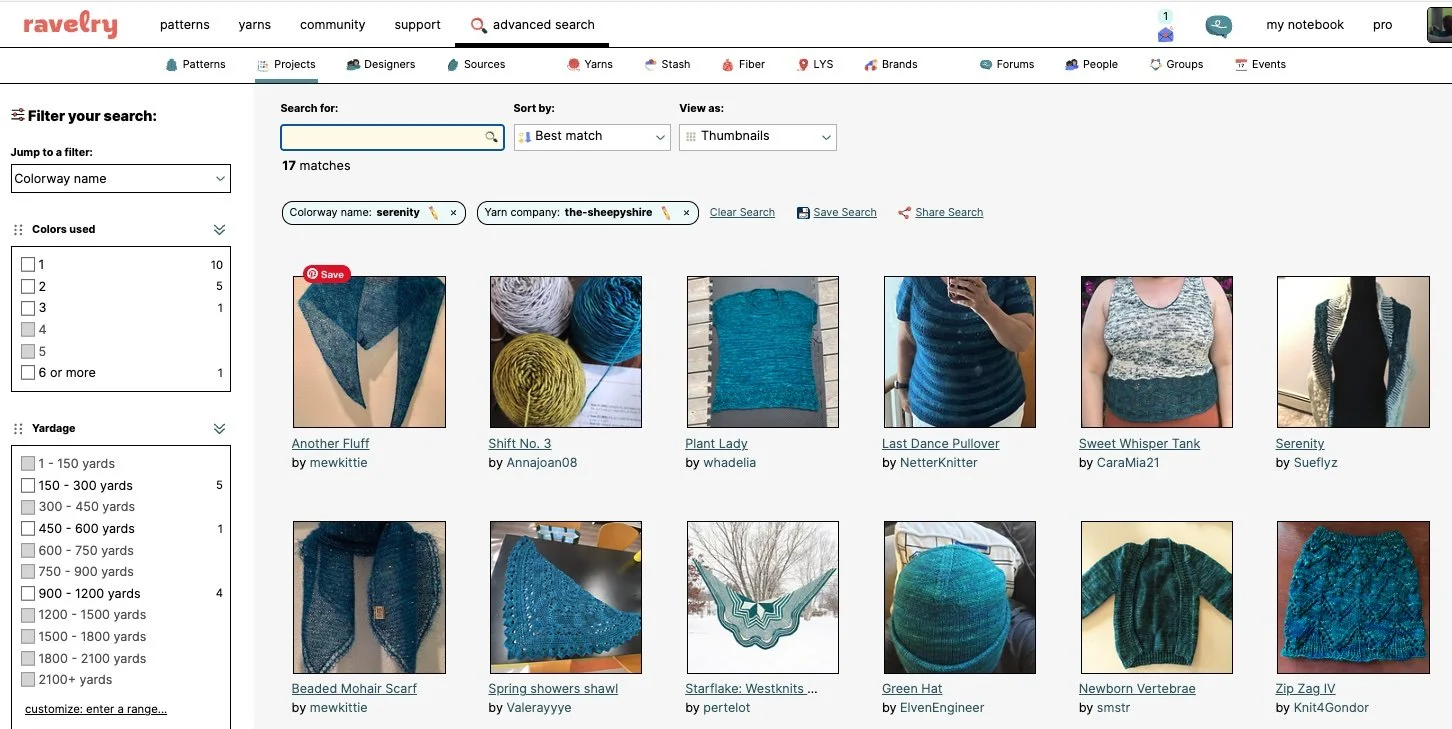
9. Spend untold hours going back and forth between different colors. (This part is not required, but it's fairly universal.)
You get the win thanks to other knitters: One of the best things about the knitting community is how generously knitters share their projects and experiences. Every photo uploaded to Ravelry helps someone else make a more informed decision about yarn, color, or pattern. By taking advantage of this incredible resource, you'll shop with greater confidence, avoid unpleasant surprises, and increase the chances that your next skein becomes your next favorite project. When you’re done, post your own project and be part of the cycle!